Contact Management & CRM: Digitize Customer Relationships
DDL brings customer master data, delivery terms and pricing agreements into one central workflow. Keep track of all contacts, customer-specific discounts and offer histories.
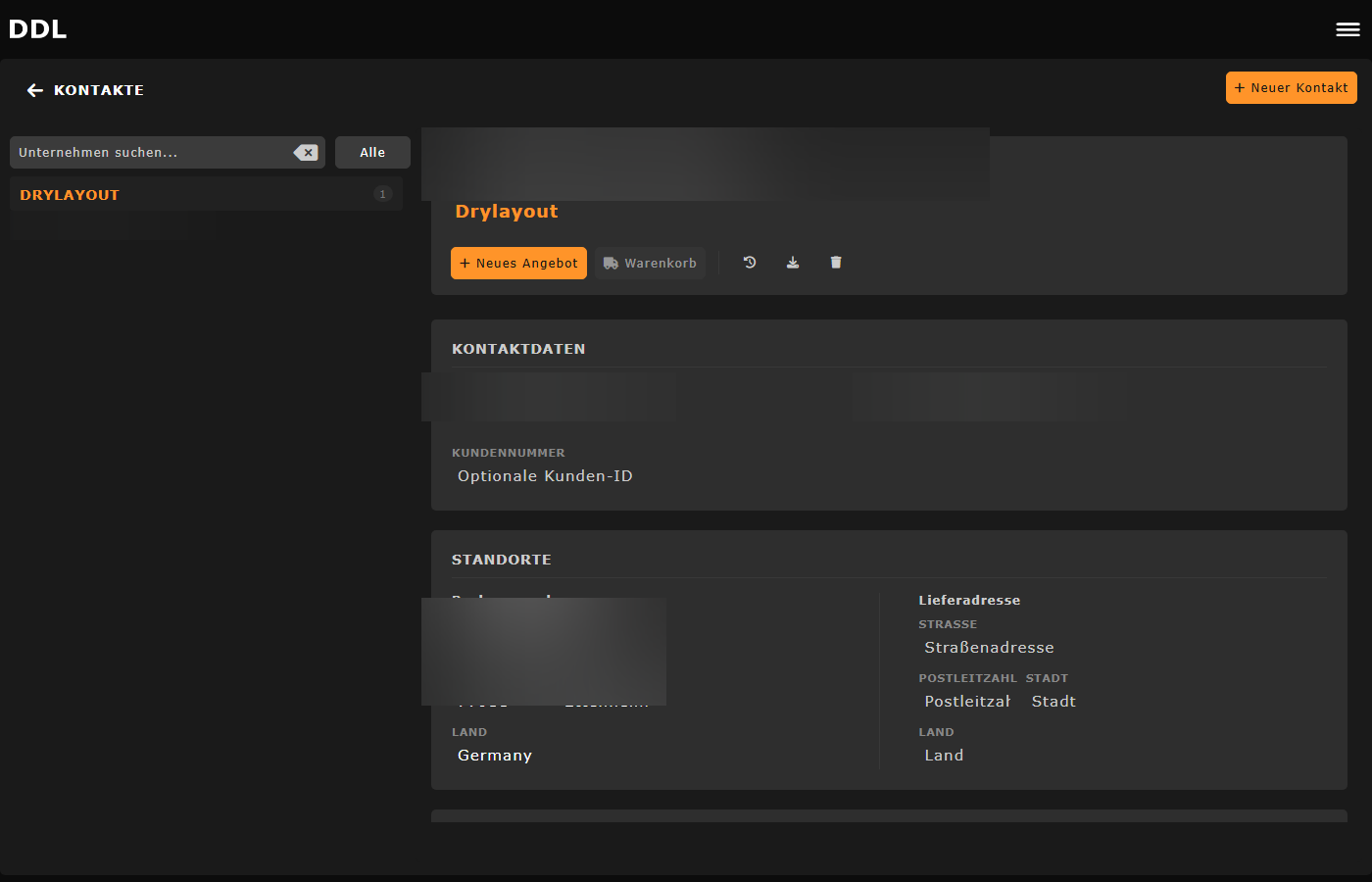


What DDL delivers in contact management
From customer master data to pricing agreements, all CRM processes in one workflow.
Manage master data centrally
Maintain customer master data, delivery and billing addresses in one place.
Group contacts by company
Contacts are displayed grouped by company. Each email address is its own account with its own login.
Control price visibility per contact
Price visibility is set individually per contact. This is the only permission difference between customers.
Customer-specific prices and discounts
Prices and discounts are stored per customer and automatically applied in offers.
Export individual contacts as VCF
Individual contacts can be exported as VCF files. Bulk contact list export is currently planned but not yet available.
Team and personal contact views
Switch between viewing all team contacts and your personal contacts.
Three core areas of contact management
Manage customer master data and terms centrally
The contact management module brings all customer information together in one place: master data, standard delivery terms and customer-specific prices or discounts that automatically flow into offers.
Especially with established customer relationships in the stone trade, a central master data record is essential so that everyone works from the same information.
Addresses and offer history per customer
DDL manages delivery and billing addresses per customer. All offers can also be viewed filtered by customer, making the complete offer history available at a glance.
This creates transparency in sales instead of keeping customer knowledge only in the minds of individual employees.
Price visibility as the only permission level
All customers have the same basic permissions on the platform: they can view materials, request offers and use the project planning tool. The only difference is price visibility, which is enabled or disabled per contact.
There are no other contact-specific permissions. The system is intentionally kept simple so that administration remains straightforward.
How contact management works
From contact to offer history, in four clear steps.
Create the contact
A new contact is created in the system with master data and company. Each email address gets its own account.
Set up terms
Standard delivery terms, prices and discounts are defined per customer and automatically applied in offers.
Configure addresses and price visibility
Delivery and billing addresses are stored and price visibility is enabled or disabled per contact.
View offers and customer history
From the CRM, view offers filtered by customer. Customer-specific prices are automatically applied.
Frequently asked questions about contact management & CRM
More solutions with DDL
Start with DDL
If you want to manage customer master data, terms and pricing agreements centrally in your natural stone business, we can show you the DDL contact management in a demo.